|
AVAproject provides a variety of time saving tools and features designed to make the tasks of specification writing, detailing and estimating fast and more efficient. One of the most widely used of these features is the 'project template'.
'Project templates' provide a starting point on which to create new projects - as an alternative to beginning with a virtual blank slate. Standard sets of data, such as hardware lists, hardware groups, standard openings, elevations and door types can be easily reused from one project to another.
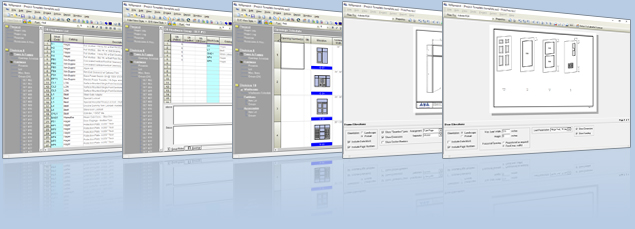
This can be an especially valuable timesaver when estimating and detailing projects that are part of existing chains or building developments, where product preferences remain consistent from one job to the next.
Many specification writers maintain a standard list of hardware items that they prefer, and tend to use over and over again in many projects. A project template can be used to load that predefined hardware list as a starting point for new projects.
The process of creating a project template involves nothing more than creating a standard project file. A project template itself is nothing more than a project file from which information is recycled for use in another project. In actuality, any existing project file can be used as a project template.
To begin a new project based on a project template, simply highlight the arrow located to the right of the "New" option in the file menu and select 'Browse for Project Template'. | 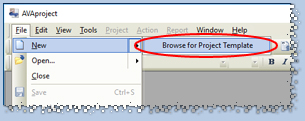
|
Once a project template has been chosen, it will be automatically loaded and "anonymized" in preparation for its use. All the project-specific information, names, dues dates, billing and shipping details, and the internal 'project log' are cleared for the new project. Product and openings information, however, is retained.
As with any project file created with AVAproject, it can be shared easily with coworkers or made available to users throughout the company. Commonly used templates can be stored in a location, accessible to all users and modified over time as project requirements and product preferences evolve.
|